Introduction
Most people understand that strong passwords are important. The real challenge is remembering each and every one of them.
Between work systems, email accounts, cloud platforms, and everyday websites, the average person manages dozens (and sometimes hundreds) of logins. Without a system in place, people tend to fall back on the same habits: Simple passwords, reused passwords, or writing down their credentials.
Those habits create serious security risks! That’s why many organizations, potentially including yours, now require employees to use password managers.
The Real Problem With Passwords
The biggest weakness in password security is the users.
When people try to remember many passwords, they often:
- Reuse the same password across multiple accounts
- Slightly modify an existing password (like adding a number or symbol)
- Store passwords in notebooks or spreadsheets
- Choose passwords that are easy to guess
These shortcuts make life easier, but they also make life easier for attackers.
Stolen or weak credentials remain one of the most common ways attackers gain access to private systems. If you reuse a single password across accounts, and an attacker can quickly gain access to multiple systems.
What a Password Manager Does
Password managers are a secure tool that stores and manages your login credentials. Instead of remembering dozens of passwords, you only need to remember one master password that opens the “vault.”
The password manager then:
- Stores your passwords in encrypted formats
- Automatically fills in login credentials when needed
- Generates strong, unique passwords for new accounts
- Syncs across devices securely
- Alerts you to compromised or reused passwords
This allows every account to have a different, complex password without requiring you to memorize them all.
Why Reusing Passwords Is So Dangerous
Password reuse creates a chain reaction. If one website experiences a data breach, then attackers often obtain email addresses and passwords from the compromised database. They use automated tools to test those same credentials on other platforms. This tactic is called credential stuffing.
For example:
- A personal shopping site is breached.
- Your email and password are exposed.
- Attackers try the same credentials on email, banking, and business platforms.
- If the password is reused, access is granted.
The original breach may not involve your workplace at all, but the consequences can still reach it. By ensuring every account uses a unique password, password managers break this chain.
Why Writing Passwords Down Is Risky
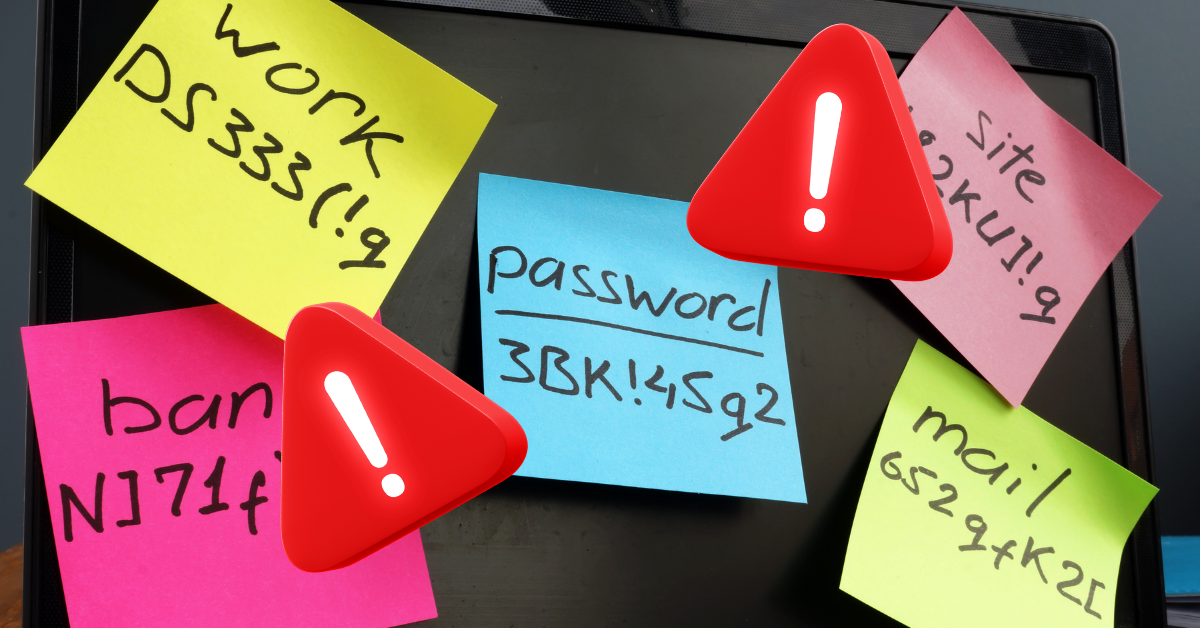
Some people respond to complex password requirements by writing credentials in notebooks or storing them in documents. Unfortunately, this approach creates new risks.
- Physical notebooks can be lost or stolen
- Files can be shared accidentally
- Screenshots or notes can be exposed in a breach
- Password lists can be accessed by unauthorized users
Password managers are designed specifically to protect credentials through encryption and secure access controls. That makes them safer than manual storage methods.
The Role of Multi-Factor Authentication
Many organizations also require multi-factor authentication (MFA) alongside password managers.
MFA adds an additional step during login, such as:
- A mobile authentication app
- A temporary code
- A security key
Even if a password is compromised, MFA helps prevent attackers from gaining access. Password managers and MFA work best together, as part of a layered security approach.
Why Companies Require Password Managers
So why does your job require you to use a password manager? Ultimately, they help reduce several common risks at once.
They help employees:
- Create strong passwords automatically
- Avoid password reuse
- Store credentials securely
- Log in quickly without unsafe shortcuts
They also reduce the number of password reset requests and improve overall security consistency across the organization. In short, managers make secure behavior easier than insecure behavior!
Common Concerns About Password Managers
Some people worry that storing all of their passwords in one place makes their accounts more vulnerable. In reality, reputable password managers use strong encryption and security protections designed specifically to safeguard your sensitive information.
Encryption scrambles data into unreadable “tokens” that you need the right key to decode. Your master password is the decryption key to your manager’s vault.
Breaking modern encryption is therefore far more difficult than exploiting reused or weak passwords!
Simple Best Practices
If your organization requires a password manager, a few habits will help maximize its protection:
- Use a strong, unique master password.
- Enable multi-factor authentication.
- Allow the manager to generate passwords automatically.
- Avoid storing passwords outside the manager.
- Lock your device when away from your desk.
These small steps significantly improve your overall account security!
Conclusion
Passwords remain one of the most common ways attackers gain access to systems.
Trying to manage dozens of complex passwords without assistance often leads to shortcuts that weaken security. Password managers remove that burden by generating and storing strong, unique credentials for every account. Instead of relying on memory, they rely on encryption and automation.
That’s why so many organizations require them.
Using a password manager does not just protect your accounts. It helps protect your coworkers, your customers, and the entire organization!